STAGEREMOTE

Master
Fader

For Bose L1 Pro & S1 Pro+

Turn it up. Turn it down.
Keep your mix.
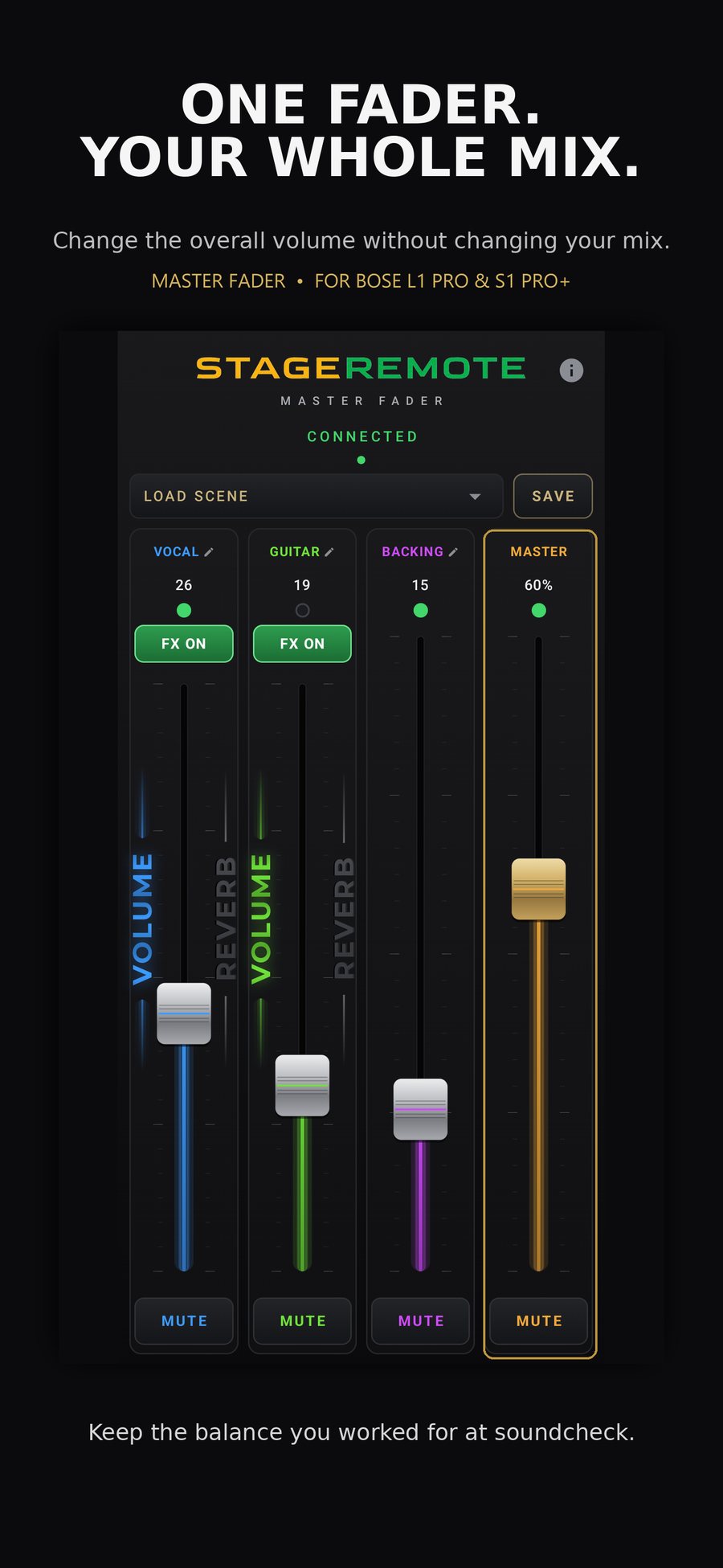
StageRemote — VOLUME / REVERB faders and FX ON on CH 1 and CH 2, Master fader, Scenes and MUTE on a dark stage-ready interface

S T A G E R E M O T E

Master Fader

CH 1 37
MUTE
CH 2 41
MUTE
CH 3 31
MUTE
Master 71%
MUTE

Stage Remote

On stage, seconds
cost more than
equipment.

Venue signals: too loud.
Room fills. Acoustics shift.
Monitor catches feedback.
You have two seconds.

The Problem

The official Bose app controls each channel individually. Dropping the total mix volume requires adjusting vocals, guitar, backing track — one at a time.


By the time you finish, the moment has passed. And the balance you built during soundcheck is no longer what it was.


Master Fader resolves this with a single gesture — without touching the relationship between channels.

In Action

Watch the app
during a live setup.

On Stage

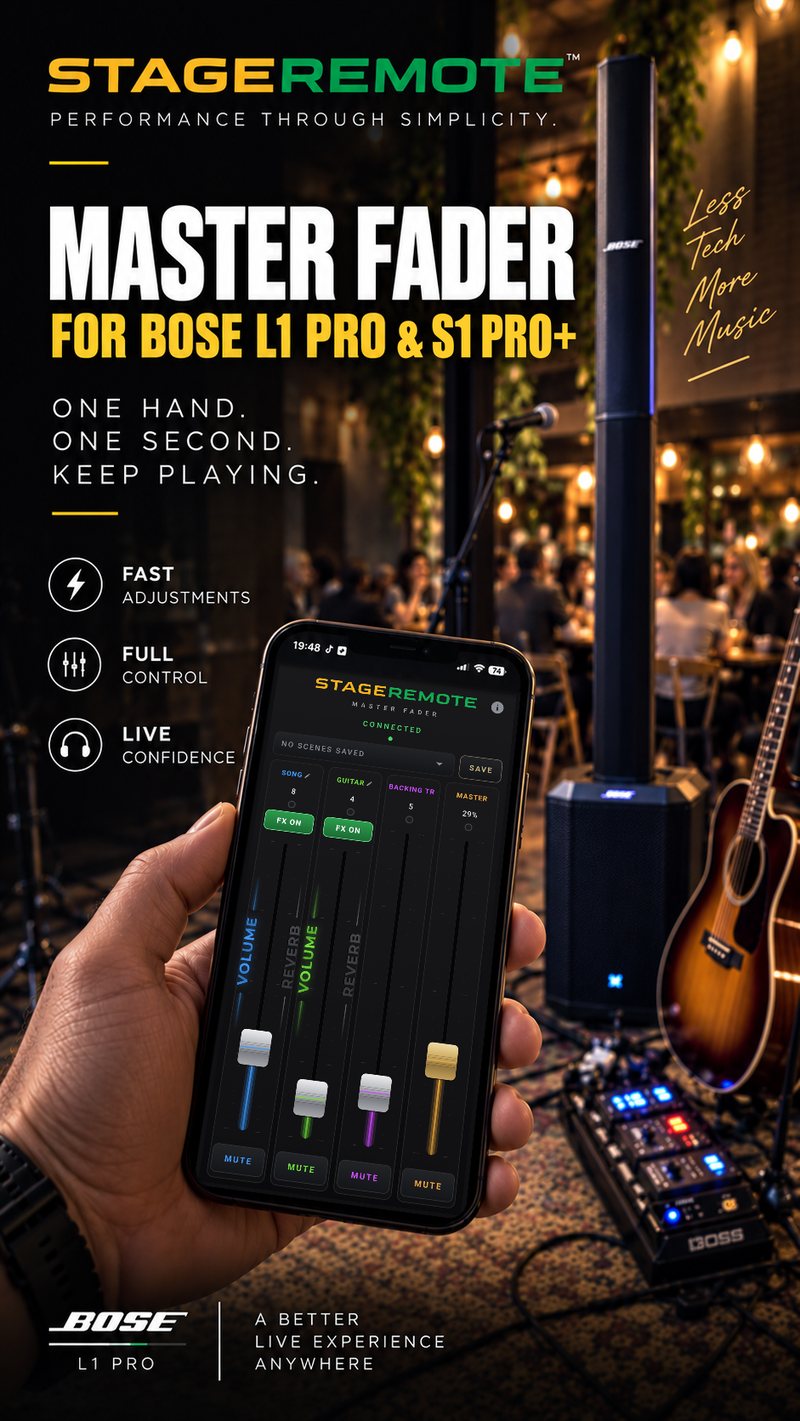
One hand.
One second. Keep playing.

What it does

Everything you need on stage.
Nothing you don't.

Master Fader

One control for the total mix level. Every channel scales together. Your balance stays exactly where you left it.

Channel Control

Individual fader for every input. Tap and drag — no menus, no sub-pages, nothing between you and the level. Name each channel your way.

Hold-to-MUTE

Native MUTE on the speaker — your levels stay put. A quick hold of about a third of a second — fast when you mean it, but an accidental brush in the middle of a song never silences you.

Master Mute

Silence the entire output at once. For breaks, unexpected stops, or any moment requiring total silence.

FX ON / OFF

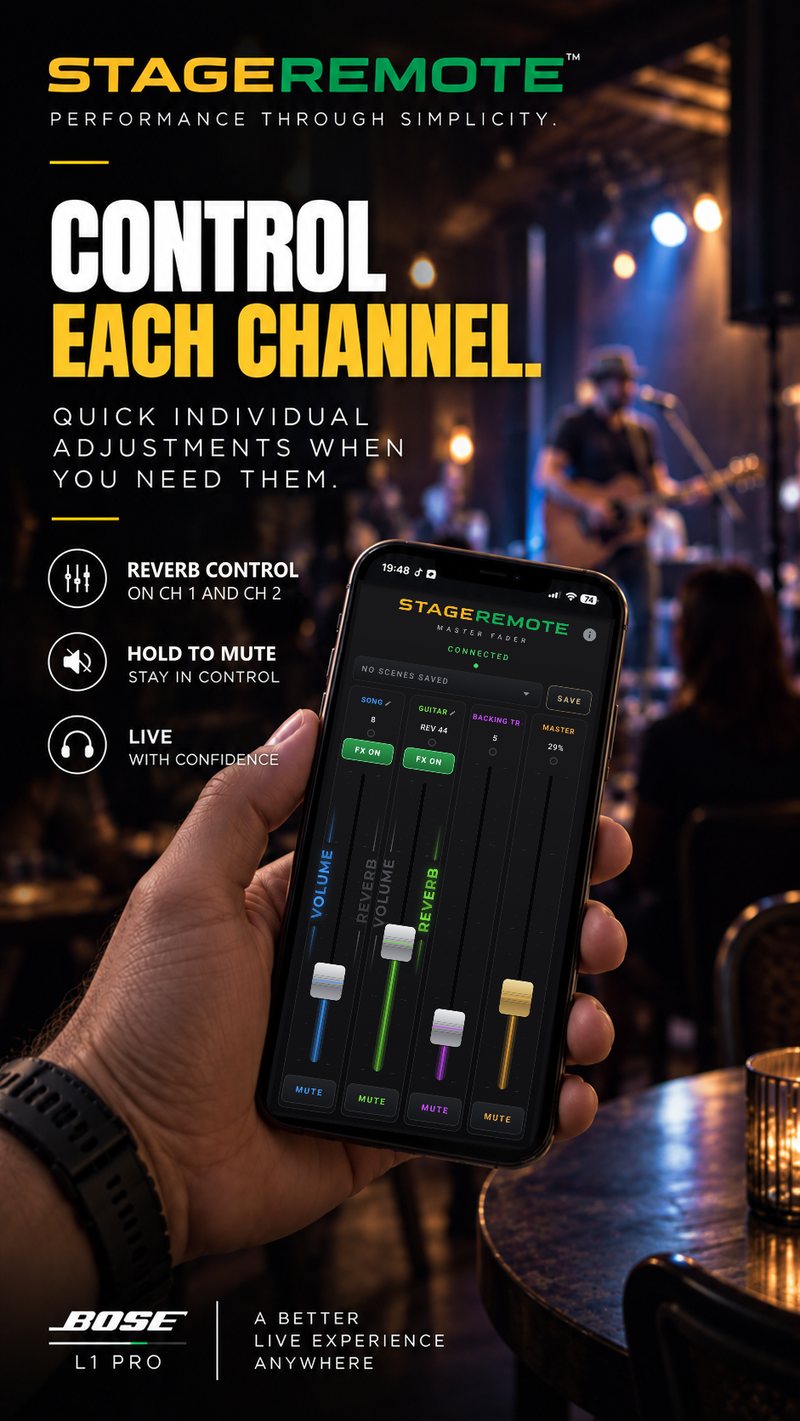
Reverb off with one tap — on channel 1 and channel 2, each on its own. Speak clearly between songs, or keep the vocal dry and the guitar wet. Tap again and the reverb returns exactly as it was. Green means FX ON, red means FX OFF — always as confirmed by the speaker.

Reverb Fader

On channel 1 and channel 2, hold REVERB beside the fader and the same fader sets that channel's reverb level. It switches back to VOLUME by itself 5 seconds after you let go — so you never ride the wrong control mid-song.

Scenes

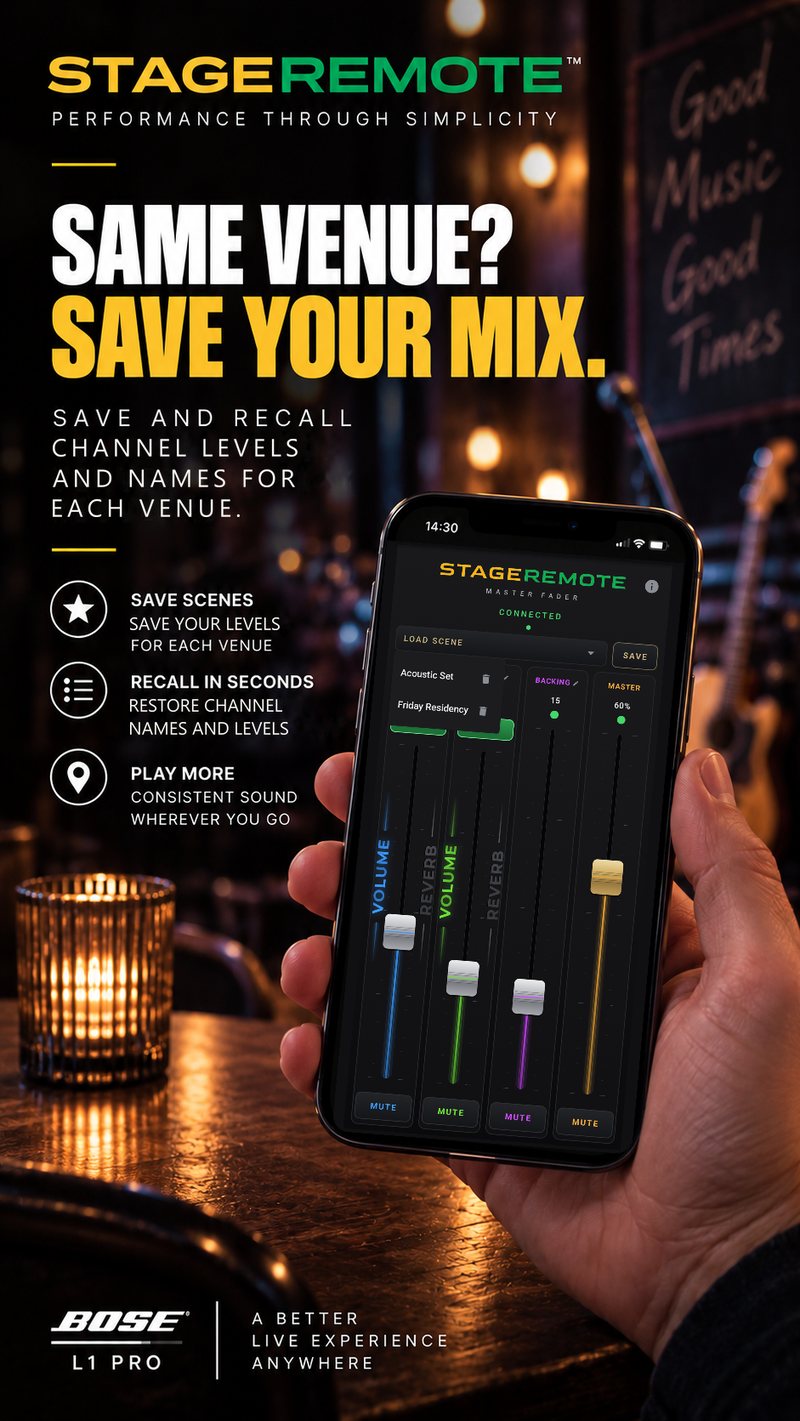
Every venue, ready in seconds. Save channel names and levels for each room or set, and recall them with one tap. The master fader is not affected.

Built for the Stage

Large controls, a dark interface and a screen that stays awake — easy to read and hit on a dark stage, with a quick glance.

Auto Bluetooth

Finds your Bose L1 Pro or Bose S1 Pro+ automatically over Bluetooth Low Energy — even if you have renamed the speaker. Reads the speaker's current levels on connect, and reconnects automatically when the connection returns.

Zero Data

No internet. No accounts. No analytics. No data leaves your device. Channel names and scenes are saved locally on your device.

Design Philosophy

Do one thing.
Do it perfectly.

StageRemote does not compete with the official Bose app. It adds the controls you need during the performance — and nothing else.


Every decision follows this principle: no accidental mix changes, no unintended touches, minimal Bluetooth traffic, stable operation on older devices used as dedicated stage controllers.

Not in this app — the Bose app already handles these
×EQ
×ToneMatch
×Bose Presets
×DSP
×Setup
×Firmware

The Story Behind It

Built after a
real performance.

During a live set in Trelleborg, a sudden volume issue required dropping the entire output immediately. The official Bose app offered no way to do this with a single control.


Adjusting four channels individually took several seconds. The balance shifted. The moment was lost.


StageRemote was written that same evening. It has been used at every performance since — solo shows, private events, restaurant residencies — wherever the L1 Pro is the PA.


This is not a product concept. It is the solution to a problem encountered on a real stage.

  • Built by a working musician
  • Field-tested during live performances
  • Designed for Bose L1 Pro and S1 Pro+
  • Does not change EQ, ToneMatch or Bose presets
  • Runs on older dedicated stage devices
  • Prevents accidental mix changes by design

Get StageRemote

Ready for your
next performance.

One-time purchase  ·  No subscription

One master fader for your whole mix — plus a reverb fader, Scenes, FX ON/OFF and hold-to-MUTE.
For Bose L1 Pro systems and Bose S1 Pro+.

Get it on Google Play Download on the App Store

Choose the store for your device. Your local price is shown before purchase.

Android 8.0+  ·  iOS / iPadOS 15.0+  ·  Bluetooth Low Energy


Frequently Asked

Questions.

Does this replace the official Bose app?

No. StageRemote works alongside the official Bose app, not instead of it. Use the Bose app to configure EQ, ToneMatch and all input settings. Use StageRemote for real-time volume control during the performance. Connecting: turn on the speaker, open the Bose app and confirm it controls the speaker, keep the Bose app open, then open StageRemote and wait for CONNECTED. Only then close the Bose app completely. Do not close the Bose app before StageRemote has connected. The same steps are shown on the start screen when you open StageRemote.

Is it safe? Will it affect my settings or presets?

Yes, it is safe. The app sends real-time level, reverb, mute and FX ON/OFF commands over Bluetooth. FX ON/OFF only switches a channel's reverb off and back to the exact value it had, and the reverb fader on channels 1 and 2 changes only the reverb level you set with it. The app does not modify EQ curves, ToneMatch settings, presets or firmware. When it connects, it reads the levels already on the speaker instead of forcing old values. Everything you have configured in the Bose app remains exactly as you left it. The speaker stores volume levels on its own hardware — if you close the app or disconnect, the last-set levels remain until you change them.

Why do I have to hold MUTE?

Because an accidental touch on stage should never silence you in the middle of a song. MUTE reacts to a short continuous hold of about a third of a second — quick when you mean it, but a deliberate action, not a brush of the finger. MUTE is native on the speaker, so your channel levels stay exactly where they were and the sound returns unchanged.

Does it work offline? Does it need an account?

Yes, it works fully offline. The app communicates with your supported Bose speaker exclusively via Bluetooth Low Energy. There is no internet connection, no account, no analytics, no crash reporting, and no data collection of any kind. The only information stored on your device is your custom channel names, your saved scenes and last-used positions — saved locally in private app storage and deleted if you uninstall the app.

Which Bose systems are supported?

StageRemote supports the Bose L1 Pro series — L1 Pro8, L1 Pro16 and L1 Pro32 — and Bose S1 Pro+. The app connects to these systems via Bluetooth Low Energy. Check your speaker model before purchase: S1 Pro+ is the supported S1 model.

Can I stream music from my phone while using the app?

Yes. Bluetooth audio streaming (A2DP) and BLE control are separate protocols that share the same radio and are designed to coexist. You can stream music from Spotify or any audio app on your phone while StageRemote controls the volume. For the best setup: stream audio from your phone and control the speaker from a tablet — the L1 Pro16 supports one audio connection and one BLE control connection simultaneously, even from different devices.

Can I use an older phone or tablet as a dedicated stage controller?

Yes. This is one of the intended use cases. An older Android device (8.0 or newer) with Bluetooth can be mounted at your stage position and used exclusively for StageRemote — no SIM card or internet required. Stream audio from your main phone and control the speaker from the dedicated device. The app is specifically optimized to run reliably on lower-specification hardware.

Is there a subscription or any recurring fee?

No. StageRemote is a one-time purchase with no subscription. Buy it through Google Play for Android or the App Store for iPhone and iPad. Your local price is shown in the store before purchase.


Contact

Questions?
Reach out.

For support, compatibility questions, or anything else related to StageRemote.


About

Demir Chakirov

Demir Chakirov is a live musician and software developer based in Trelleborg, Sweden. He has performed for over 25 years — solo and with various formations — using the Bose L1 Pro as his primary PA system.


StageRemote was built after a performance in which the absence of a master fader caused a critical moment to be lost on stage. The problem had no existing solution. The solution was written that same evening.


He still uses it at every performance.


StageRemote is the first release under StageRemote — a platform for professional stage tools, each built around one principle:

Stage Remote Stage Remote — Performance through simplicity.

Performance through simplicity.